
Linux occupies an important place in the technology infrastructure of companies, developers, and organizations that use cloud services. Although for years it has been associated primarily with servers and specialized users, it is also used on workstations, programming computers, and business environments that combine different operating systems. This diversity increases the need to protect Linux devices against cyber threats and vulnerabilities that could compromise corporate information. In this context, the expansion of Microsoft Defender for Endpoint to Linux desktops represents a significant development in corporate IT security.
The information published by Hipertextual presents this initiative as an expansion of Microsoft Defender's protection capabilities for Linux users, initially through a public preview version. The proposal seeks to facilitate threat detection, incident investigation, and vulnerability management on devices that use this operating system. Its importance lies in the fact that companies need to protect their equipment regardless of the platform they use. Nevertheless, the available features, compatibility requirements, and commercial terms must be verified in the current official documentation before implementing the solution.
Linux and Its Importance in Businesses
Linux is an operating system based on an open-source kernel that serves as the foundation for numerous distributions. Some of the best-known include Ubuntu, Debian, Fedora, Red Hat Enterprise Linux, SUSE, and Oracle Linux, which are used in different technological contexts. Its flexibility, administration tools, and availability of specialized programs have encouraged its adoption in servers, cloud platforms, and development environments. These characteristics also make Linux a relevant option for companies that need to manage complex infrastructures.

In the professional field, Linux makes it possible to develop applications, run internal services, manage databases, and automate processes. Developers can use Linux desktops to work with code repositories, compilation tools, and testing systems. In certain cases, these computers also have access to important corporate credentials and resources. Therefore, protecting a Linux workstation can help reduce risks that affect other components of the corporate infrastructure.
However, Linux is not invulnerable to cyberattacks. Its permission and administration mechanisms provide useful controls, but they do not eliminate the risks arising from unpatched vulnerabilities, poor configurations, or compromised credentials. Security depends on keeping the system up to date, limiting privileges, and monitoring suspicious activities. Therefore, using Linux does not eliminate the need to apply protection and prevention measures.
Many organizations combine Linux and Windows within the same infrastructure. This coexistence can complicate administration when each platform uses independent security tools. A solution that allows different devices to be monitored from a common environment can facilitate incident investigations and improve visibility. The expansion of Microsoft Defender to Linux directly addresses the need to protect increasingly diverse technological environments.
What Is Microsoft Defender for Endpoint?
Microsoft Defender for Endpoint is an enterprise platform designed to help prevent, detect, investigate, and respond to threats affecting devices. It should be distinguished from other applications that use the Microsoft Defender name, because their features, licenses, and objectives may differ. The enterprise solution is intended for organizations that need to manage the security of their devices and analyze potential incidents. Its expansion to Linux seeks to incorporate these devices into certain centralized protection processes.
The Hipertextual article refers to a public preview version for Linux desktops. A preview allows a feature to be evaluated before its availability is considered final in all scenarios. During this phase, there may be limitations, feature changes, and specific requirements. Therefore, interested companies should consult Microsoft's official documentation to verify which Linux versions are compatible and which features are currently available.
Centralized administration can help security teams review alerts and analyze incidents from a broader perspective. When compatible devices share a monitoring environment, specialists can access useful information to correlate events affecting different systems. This integration can simplify certain administrative tasks and promote more consistent security policies. However, it does not mean that all features available in Windows are necessarily present in Linux in the same way.
Threat Detection and Incident Response
One of the important features of Microsoft Defender for Endpoint is protection against cyber threats. Antivirus protection can help identify malicious files and other threats recognized by the product's detection mechanisms. In Linux, this capability can complement the distribution's own security measures and help reduce certain risks. Even so, no antivirus guarantees the detection of every threat, especially when attackers employ new techniques or exploit legitimate access.
Another relevant capability is endpoint detection and response, known as EDR. This approach makes it possible to analyze activity signals to identify potentially dangerous behavior and facilitate incident investigations. Rather than being limited to searching for known files, EDR tools can provide context about certain events recorded on a device. The usefulness of this information depends on the available telemetry, detection rules, and specialists' ability to interpret alerts.
An investigation can help determine whether suspicious activity is related to other events within the organization. For example, an alert on a Linux desktop can be analyzed alongside information from other compatible devices. This facilitates the assessment of the scope of a potential incident and makes it possible to decide which measures should be taken. However, an alert alone does not prove that an attack has occurred, so the evidence must be examined before taking action.
Response capabilities may include actions to investigate devices or restrict certain communications, depending on the supported features and the configuration being used. Isolating a device can help contain an incident while what happened is analyzed. These actions require clear procedures to avoid unnecessary disruptions to business operations. For this reason, security tools must be complemented by trained personnel and response protocols.
Vulnerability Management in Linux
Linux security does not depend exclusively on detecting malware. Outdated applications, unnecessary services, and weak configurations can also increase a device's exposure. Vulnerability management helps identify problems, assess their importance, and organize corrective measures. Microsoft's associated vulnerability management capabilities can contribute to this process, depending on the available features and licenses.
Detecting a vulnerability does not mean that a device has been attacked. It means that a potential weakness exists and must be evaluated according to factors such as the device's exposure, the availability of an update, and the importance of the affected resources. In Linux, package managers and security updates are essential tools for fixing known issues. Vulnerability monitoring can complement these tasks and help establish priorities.
Companies that manage numerous Linux devices need to organize remediation efficiently. Some updates can be installed quickly, while others require testing to ensure that applications continue to function correctly. For this reason, it is advisable to assess the severity of the problem, its potential impact, and the operational conditions of each system. The tool can provide information for decision-making, but the responsibility for setting priorities rests with the organization.
It is also important to distinguish between identifying a problem and fixing it. A platform can report a vulnerability, but remediation may require updating a package, modifying a configuration, or restricting access to a service. Integrating these actions into Linux maintenance processes helps reduce exposure and improve system management. Security is more effective when detection and remediation are part of the same procedure.
Protecting Development Teams
Linux is a common platform in numerous software development environments. Programmers can use it to compile applications, run tests, work with containers, and manage tools that form part of the development lifecycle. Depending on their responsibilities, these devices may have access to private repositories, credentials, and internal services. Protecting them is important because a compromised workstation could become an entry point for attempts to access other resources.
This risk is related to the software supply chain, which includes the processes and tools used to develop and distribute applications. If an attacker manages to modify code or compromise a development environment, they could attempt to affect the products generated by the organization. This does not mean that every Linux incident will automatically spread, but it demonstrates the importance of protecting technical equipment. Device monitoring and access controls help reduce opportunities for abuse.

Integrating Linux into an enterprise security platform can improve visibility into development workstations. Administrators can review available alerts and correlate them with other data to investigate potential incidents. They can also complement these features with specific measures, such as multifactor authentication and credential protection. Microsoft Defender should be understood as part of a broader strategy, not as a substitute for secure programming practices.
SSH keys, tokens, and other credentials require special attention. Storing them without protection in scripts or repositories can facilitate their exposure if a device is compromised. Companies should limit permissions, review access, and use appropriate mechanisms to manage secrets. These practices, combined with Linux monitoring, help protect both the devices and the resources they can access.
Compatibility, Requirements, and Licensing
Before installing Microsoft Defender on Linux, it is necessary to check the compatibility of the distribution being used. Support may depend on the operating system version, device architecture, and other technical requirements. The distributions used in professional environments include Ubuntu, Debian, Fedora, Red Hat Enterprise Linux, SUSE, and Oracle Linux. However, mentioning these distributions does not mean that all their versions are compatible with every edition of the solution.
The official documentation makes it possible to verify supported versions, system requirements, and installation instructions. It is also advisable to check the necessary dependencies and the agent's operating conditions. These details may change as Microsoft expands or modifies its products. Therefore, a company must confirm compatibility before deploying the tool across numerous Linux devices.
Licensing is another important aspect. The availability of enterprise features may depend on the purchased plan and the specific terms of Microsoft Defender for Endpoint or certain Microsoft 365 subscriptions. It should not be assumed that every Microsoft account includes all the capabilities described. Verifying the commercial requirements helps calculate costs and avoid decisions based on incomplete information.
Implementation should also include testing to verify performance and compatibility with existing applications. In certain environments, other security tools may cause conflicts or require adjustments. A controlled test makes it possible to detect problems before extending the solution to all users. This approach is particularly useful when Linux is used to run important business processes.
Advantages and Limitations of Centralized Administration
Centralized administration can facilitate monitoring in organizations that use multiple operating systems. A common platform makes it possible to consult the available information from compatible devices and organize security alerts. This can help coordinate investigations and identify devices that require attention. However, the benefits depend on the configuration, actual coverage, and administrators' ability to use the information correctly.
Another potential advantage is reducing security blind spots. Linux desktops used by developers or administrators may fall outside traditional controls when a company concentrates its efforts on other systems. Incorporating them into monitoring processes makes it possible to improve the inventory and detect certain risk indicators. Even so, registering a device does not guarantee that it is protected, because it is also necessary to verify that the agent is working and that alerts are followed up on.
There are limitations that should be considered before adopting the solution. An enterprise platform may require licenses, specialized personnel, configuration time, and procedures for investigating false positives. Differences between Linux distributions may also require specific testing and adjustments. Therefore, organizations should evaluate the results of implementation rather than assume that installing a tool will solve all their security problems.
Centralized protection also does not replace backups, access controls, or recovery procedures. These mechanisms remain necessary even when a company has advanced detection capabilities. A comprehensive strategy combines tools, maintenance, training, and incident response processes. Microsoft Defender can provide useful capabilities, but its effectiveness must be assessed within a broader security architecture.
Best Practices for Strengthening Linux Security
Keeping Linux and its applications up to date is one of the fundamental measures for reducing risks. Updates fix known vulnerabilities and can improve program stability. In enterprise environments, changes must be managed in an orderly manner when critical applications or specific dependencies are involved. A maintenance procedure makes it possible to balance the installation of fixes with operational continuity.
Another important practice is applying the principle of least privilege. Users and applications should have only the permissions necessary to perform their tasks. In Linux, this means carefully managing accounts, limiting administrative privileges, and reviewing access that is no longer needed. These measures reduce the potential impact of a compromised account, although they do not eliminate all risks.
Credential protection also deserves attention. Passwords, SSH keys, and tokens must be stored securely, avoiding exposure in accessible files or repositories. Multifactor authentication adds protection to services that support it, while periodic permission reviews help identify unnecessary access. These practices should be applied to Linux as well as to the rest of the corporate infrastructure.
Finally, it is necessary to maintain verified backups and incident response procedures. Backups should be tested periodically to verify that data can be recovered when necessary. User training also helps reduce risks associated with suspicious files, fraudulent links, and unsafe practices. Combined with detection tools, these measures help improve the security of Linux devices.
How to Plan an Enterprise Implementation?
Before deploying Microsoft Defender on Linux, a company should identify its security needs and the devices it wants to protect. Not all organizations face the same risks: a development computer with access to proprietary code may require different controls from a workstation used for administrative tasks. Creating an inventory makes it possible to identify installed distributions, important applications, and the access permissions granted to users. This information helps establish priorities and determine which devices should be included first in the implementation.
A pilot test makes it possible to evaluate the tool before extending it throughout the organization. The recommended approach is to select devices representative of the different Linux environments and verify that the installation works correctly. During testing, resource consumption, alert quality, and compatibility with the applications in use can be assessed. The results make it possible to identify problems and adjust the configuration before expanding the deployment.
It is also necessary to establish responsibilities for reviewing alerts and responding to incidents. A tool can detect suspicious behavior, but its value decreases if no one analyzes the information or decides on the appropriate actions. Procedures should define who investigates incidents, how problems are escalated, and which measures require authorization. In this way, Microsoft Defender becomes integrated into an operational security process rather than remaining an isolated installation.
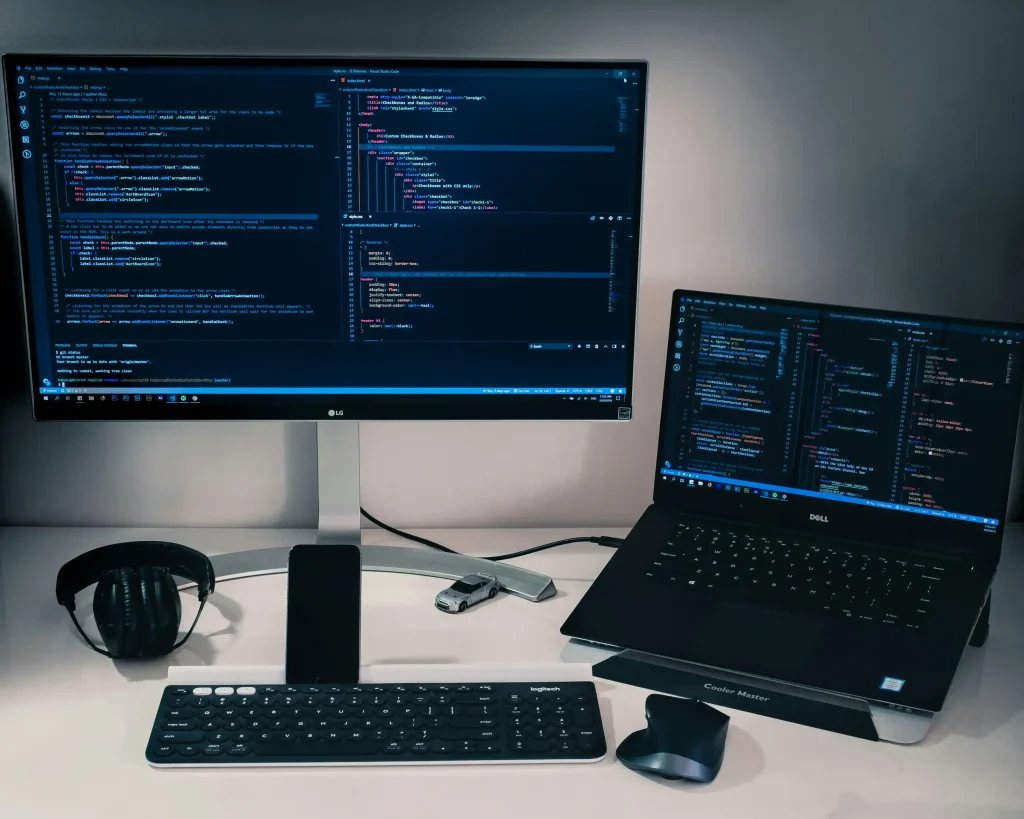
The arrival of Microsoft Defender for Endpoint on Linux desktops expands protection options for companies that work with diverse technological infrastructures. Detection, investigation, and response capabilities, together with vulnerability management features available depending on the configuration and license, can help integrate Linux into a broader security strategy. This development is particularly relevant for development teams, which may have access to source code, credentials, and corporate services. However, the actual benefits depend on compatibility, available features, and the correct implementation of the solution.
Adopting Microsoft Defender does not eliminate the need to update Linux, limit privileges, protect credentials, and maintain reliable backups. Nor does it guarantee that every threat can be detected or that the features are identical across all distributions. Therefore, companies must consult the current documentation, conduct controlled tests, and assess their needs before implementing the tool. An effective strategy combines technology, clear procedures, and professionals capable of responding to incidents.
If your company needs to strengthen Linux security, improve system administration, or evaluate IT security solutions, ITD Consulting can help you analyze your technological needs and explore suitable alternatives for your organization. Its team can guide you in assessing risks and improving your IT processes. To request information about its technology consulting services, write to [email protected].

 EN
 ES